

LTARE Data Storage & Version Control
WaSHI Data
Non-Digital Data:
We recommend that Non-digital data, such as paper forms, must be transcribed or converted to digital file formats and then stored in the respective shared LTARE OneDrive.
GitHub organizations for code-based projects:
Microsoft Teams for data sharing between LTARE sites:
- WaSHI Team
WaSHI Google Drive for external file sharing:
- WaSHI has a gmail.com account. The WaSHI Director and Data Management can help with access to this space.
Individual devices (laptop, tablet, phone):
- Must NOT be the only place data are stored!
Backup
Read-only raw data
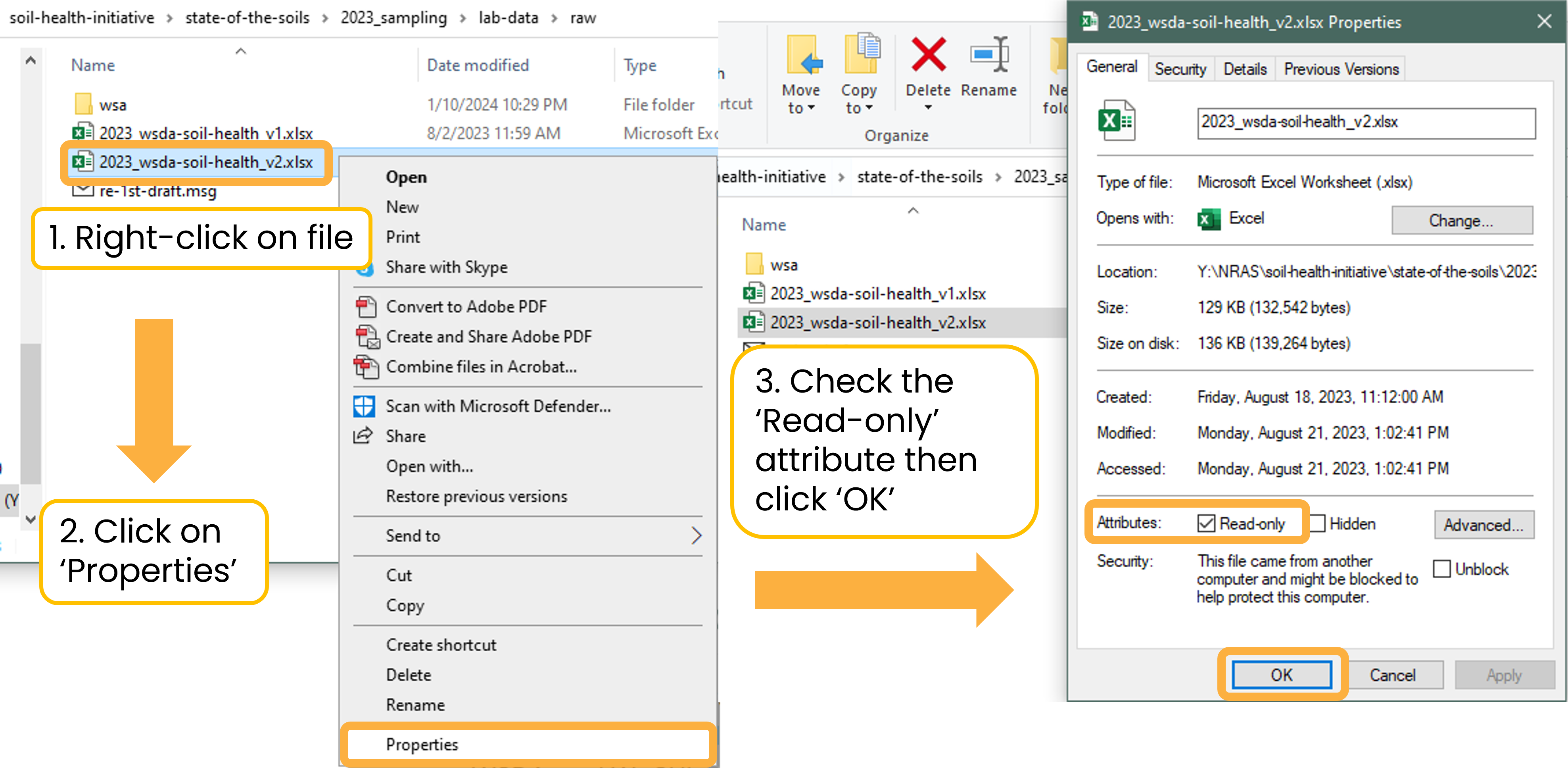
Always set raw data files, such as lab results, as Read-Only to avoid accidental corruption or overwriting. For example, in the lab-data folder, all original data files are set to Read-Only and saved in the raw folder.
Copy the raw data file to the working folder for processing and analyses. Then save the final dataset in the separate clean folder with a descriptive title. Keeping a readme.txt to document processing steps is good practice, as discussed in the Documentation section.
Y:/NRAS/soil-health-initiative/state-of-the-soils/2023_sampling/lab-data
├── 2023_data-template-soiltest.xlsx
├── clean
├── qc
├── raw
└── working
To set a file as Read-Only: right-click the file > Properties > check the Read-only attribute box > OK.
Version control with Git and GitHub
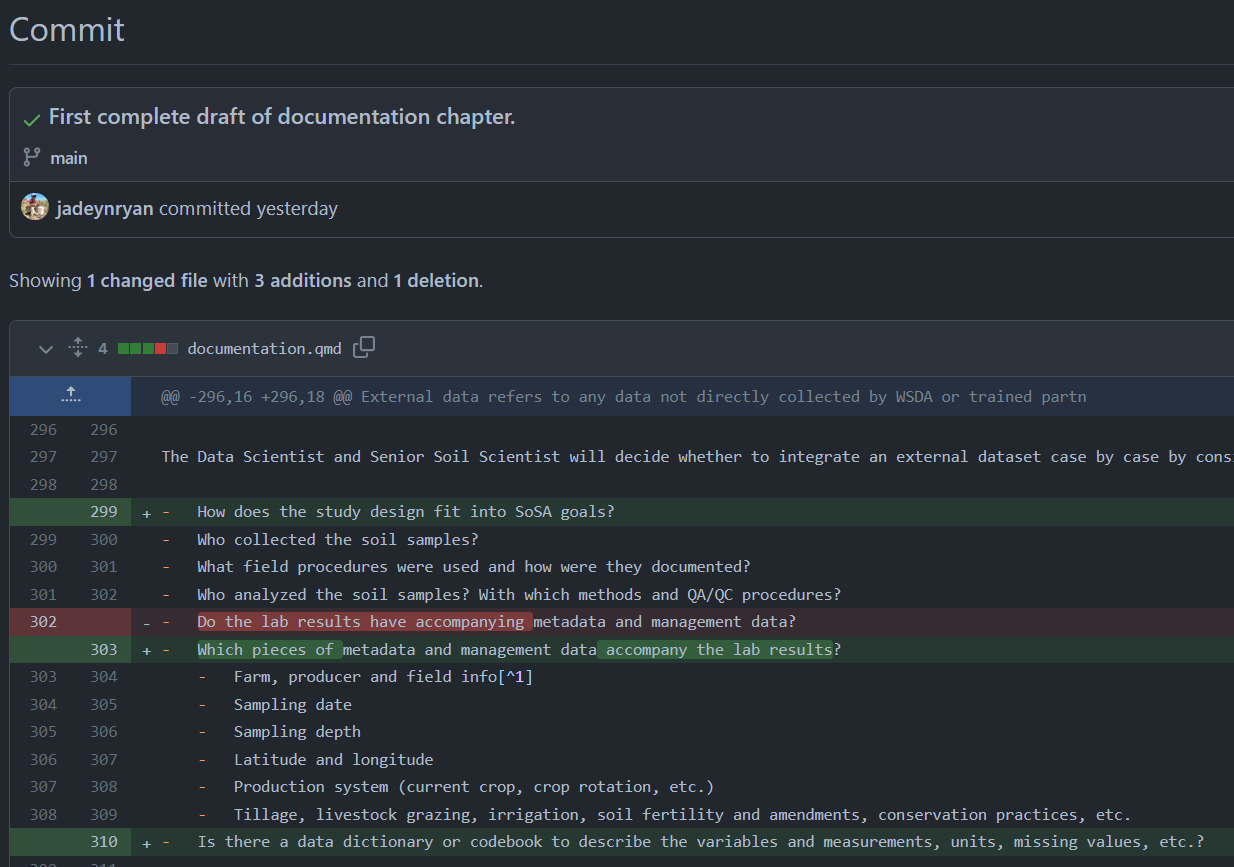
report.docx) instead of report_v01.docx and report_v02.docx. For a reminder on version naming, see the Naming Conventions section.The screenshot below shows who made commits (i.e., named version histories) and when they were made. From this screen, a user can click on the commit message to view all files that were changed.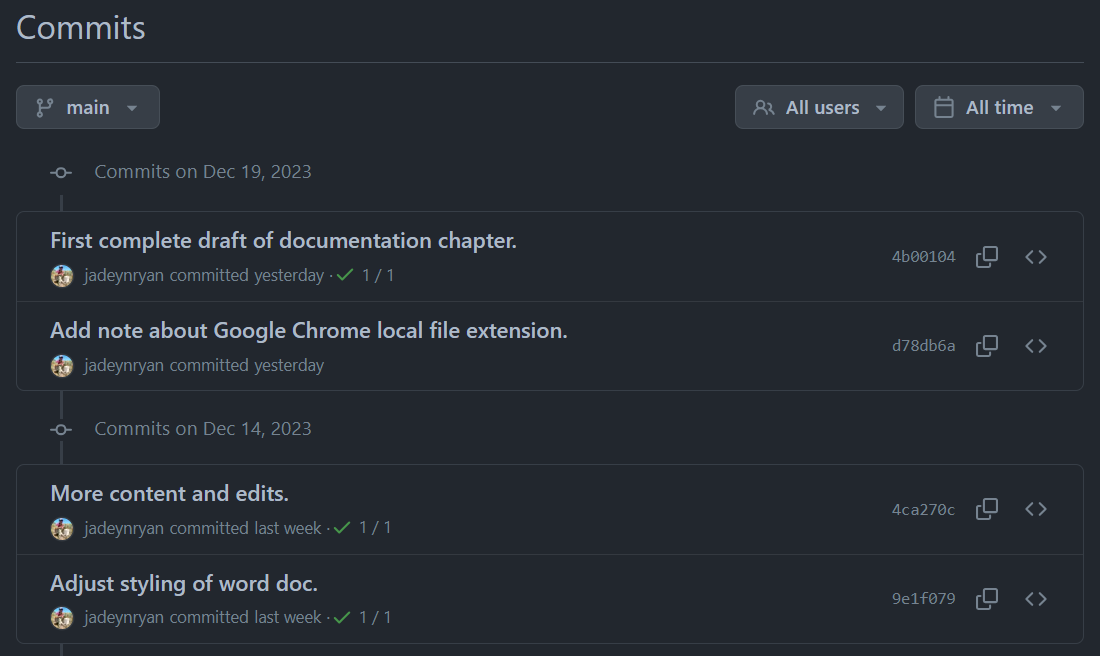 After clicking the first commit message, a
 diff (i.e., a visual of what changed) displays the additions to documentation.qmd highlighted in green and deletions highlighted in red.
Privacy considerations
Review the Data Sharing secttion to categorize the data included in the repository to protect grower privacy. If the data are not anonymized and aggregated, either 1) the repository must be set to private or 2) data files and any scripts containing Category 3 data must be added to the .gitignore file.
Git and GitHub resources
GitHub's Official Documentation
- GitHub Docs - Quickstart: The official GitHub documentation is comprehensive and kept up-to-date. Start with their quickstart guides to grasp the basics of repositories, commits, branches, and pull requests.
- GitHub Docs - Git Handbook: For a deeper dive into the underlying Git commands that GitHub is built upon.
- GitHub: A Beginner’s Guide is a helpful resource created by Birds Canada for less advanced programmers. If you prefer to look through slides, see Byron C. Jaeger’s presentation Happier version control with Git and GitHub (and RStudio).
Integrating Git with Python Development Environments (IDEs)
Most popular Python IDEs have built-in Git integrations, making version control seamless.
- VS Code (Visual Studio Code): VS Code has excellent, intuitive Git integration.
- Resource: Search for "VS Code Git integration" or "VS Code GitHub workflow." Many articles and videos are available.
- Example: VS Code Git documentation
- PyCharm: PyCharm (by JetBrains) also has robust Git and GitHub integration.
- Resource: Search for "PyCharm Git GitHub tutorial."
- Example: PyCharm Git documentation
Cheat Sheets and Best Practices
- Git Cheat Sheets: Quick references for common Git commands.
- Gitignore for Python: Learn what files not to commit to your repository (like
.pycfiles,__pycache__directories, virtual environments, API keys).- https://github.com/github/gitignore/blob/main/Python.gitignore
- It's a good practice to include a
.gitignorefile in your Python projects.